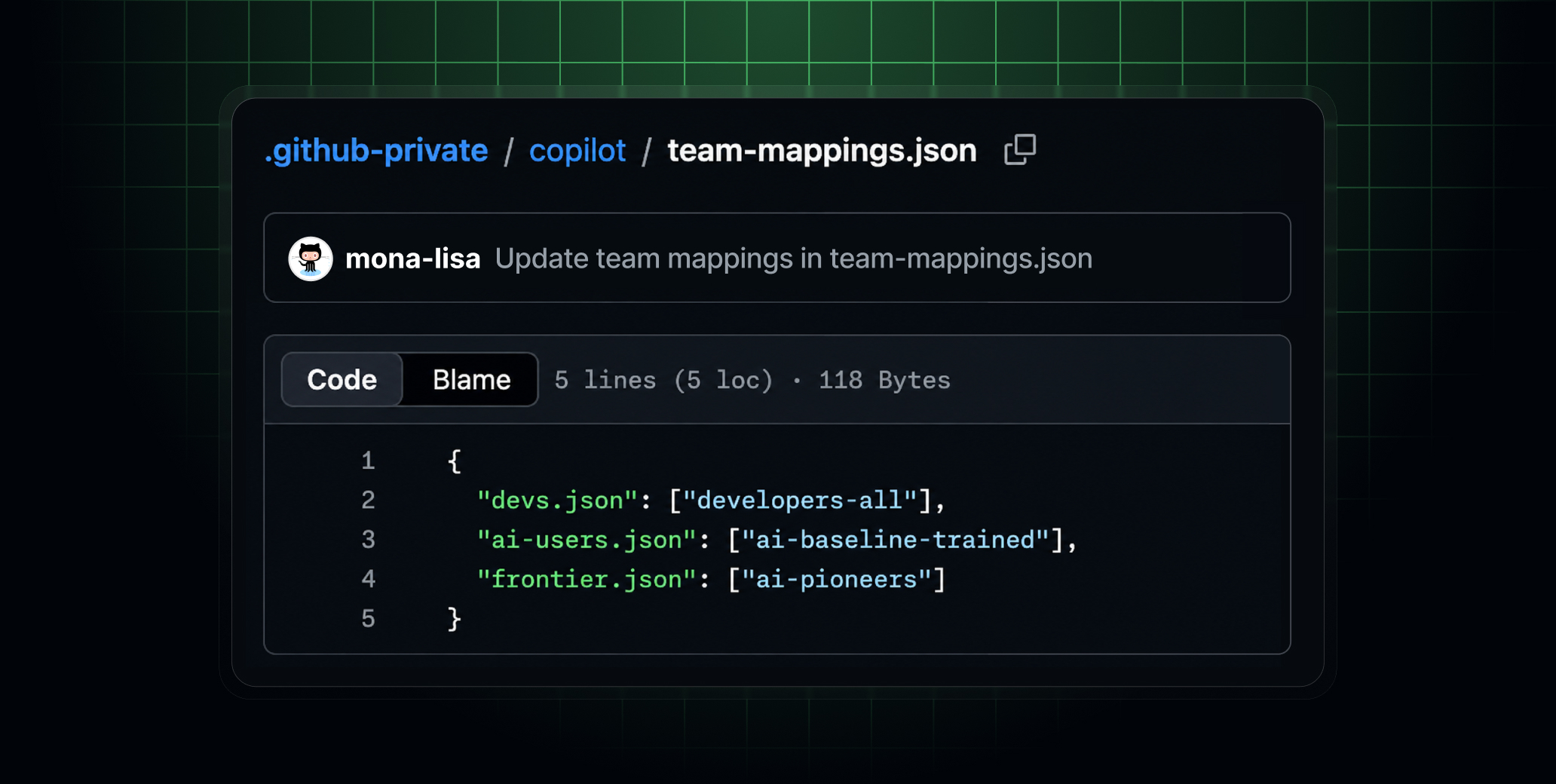
GitHub has introduced a new capability for Copilot that allows enterprise administrators to customize managed settings by targeting enterprise teams with itemized configuration files. This update, announced on August 3, 2026, aims to scale governance for large enterprises without central administrators bottlenecking every configuration change or relying on one-size-fits-all policies.
Key Points
- Enterprise administrators can now customize Copilot managed settings for specific teams using itemized configuration files.
- This feature allows teams to adapt Copilot to their workflows while adhering to enterprise-defined boundaries.
- Administrators can make individual keys in the
managed-settings.jsonfile eligible for team-specific values using the"overridable":syntax. - An example provided allows an "AI Pioneers" team to select their own default model and bypass permissions, while other teams inherit enterprise defaults.
- Team-based plugin extensibility ensures that
enabledPluginsandextraKnownMarketplacesare additive, allowing teams to layer on additional tools without weakening the enterprise baseline. - Settings files can be mapped to one or more team slugs in
team-mappings.json, enabling a single settings file to apply across multiple teams. - The configuration defined in
managed-settings.jsonis currently enforced in VS Code, Copilot CLI, the Copilot App, and Copilot cloud agent for users with Copilot Business or Copilot Enterprise licenses.
Context
According to GitHub, the AI ecosystem evolves frequently, and maintaining effective guardrails is a shared responsibility. The new specialization feature allows enterprises to set their AI standards source in a .github-private repository with internal visibility, enabling users to suggest changes through pull requests to keep specialized governance configurations up to date.
Why It Matters
This update provides enterprise builders with granular control over Copilot configurations, allowing them to balance centralized governance with team-specific needs. It enables organizations to maintain compliance-critical settings while offering flexibility for different job roles and workflows.
What To Do
- Review the
configuring enterprise managed settingsdocumentation for detailed instructions. - Experiment with marking keys as
overridablein yourcopilot/managed-settings.jsonfile. - Test creating team-specific configuration files under
copilot/teams/for specialized groups. - Note how
team-mappings.jsoncan be used to apply a single settings file across multiple teams. - Watch for future announcements regarding the extension of this support across all Copilot clients via the Copilot SDK.